

reactor CLI and Docker. The Python part also needs
Python 3.10 or newer.
Get the starter model
The model lives in the runtime repository, underexamples/starter.
starter.py as fields on a state class:
starter.py
set_spin_speed, set_paused, and
set_static_interval. The rest of the file is the generate() that draws a frame from those
settings. It is the same shape as the model on the overview.
Build and run
http://localhost:8080. Leave it running in this terminal.
On an Apple Silicon Mac, build with
reactor build --platform linux/arm64. The
default image is x86, and under emulation the video encoder never gets a frame onto the wire:
you connect, the controls appear, and the video stays black.starter.py, or anything else in the folder, stop the model and run both commands
again. reactor run reuses the image it already has, so your change only shows up after a rebuild.
Connect from the browser
The quickest way to see the model is the Reactor Sandbox, a web app that connects to any model and builds controls for it from the model’s own declarations.1
Open the sandbox
Go to reactor-sandbox.vercel.app and pick Local
(Direct) as the endpoint. No key is needed for a local model.
2
Start a session
Press Start. The logo appears within a second or two, turning over the static.
3
Try the controls
The panel next to the video lists
set_spin_speed, set_paused, and set_static_interval.
Change one and watch the stream follow. A value outside the range you declared is refused
before it reaches the model.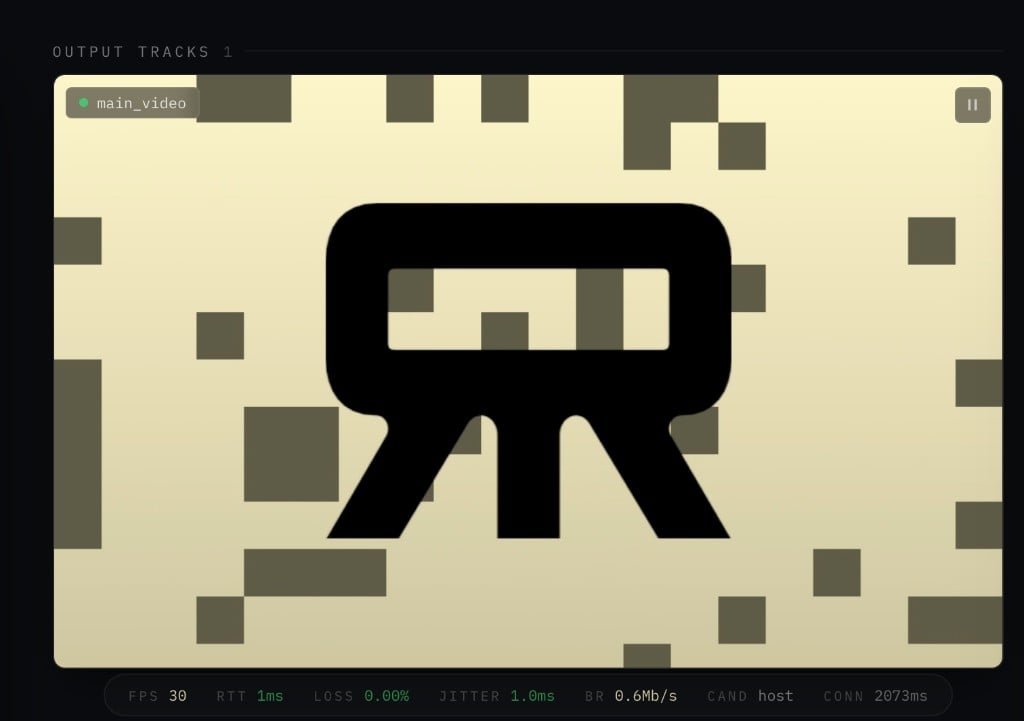
The starter model in the sandbox: 30 frames per second, over a local connection.
Connect from your own app
You can also connect from your own code. This example usesreactor-sdk, the Python client SDK.
An application uses it to talk to a deployed model, and with local=True it talks to the one on
your machine. The script below repeats what you just did in the browser, from a local script: it
connects, receives video frames, and sends commands.
Open a second terminal in the same folder and install it:
check_model.py:
check_model.py
50.0 refused: spin_speed is
declared with le=5.0, and the runtime checked that before your code ran.
The script exits with an error if the connection or the first frame times out. The async with
block closes the connection when it ends.
Next steps
You have run a model locally and connected a client to it. From here the cycle is edit, rebuild, run, and reconnect. The steps below try that on the starter, in the order you would follow on a model of your own.Add an input
Add a field toStarterState:
starter.py
generate(). The static is rolled by roll_static(), which already takes a
density, so pass the field through:
starter.py
set_static_density slider you never wrote, and the
Python script can send it like the other two. Managing State
lists every constraint a field accepts.
Add a command
A state field works for a value a client sets and the model keeps reading. For a one-off action, write a handler with@event instead. This one restarts the animation by calling the reset()
method the class already has:
Swap the weights
Replaceweights/logo.png with any PNG. load() finds it through get_weights_path(), which is
the same call your model makes once deployed, when that folder ships with the release.
Weights explains how the path resolves in each place.
Change the frame size
Editwidth and height in config.yaml. The runtime passes that file to load() as
config_path without reading it, so you can put whatever your model needs in there.
Put your own model in
The starter draws its frames with NumPy, but a real model has the same structure. Load the weights inload(), produce the next frame in generate() from the state, and return it on main_video.
If the model needs a GPU, start it with reactor run --gpus all. That needs the NVIDIA container
toolkit installed on the host. When you use
DistributedRunner, step inputs and results cross
processes through shared memory. The local container gets 2 GB of it by default. When your frames
are large, raise it with reactor run --shm-size 4g.
Keep check_model.py and change three things in it: the track name, the command, and what you
check on the frame. Test an out-of-range value and a fresh session too, since a new session starts
from the field defaults.
Deploy it
When it works locally,reactor model deploy from the same folder deploys it on Reactor’s fleet.
The quickstart walks you through that.
Next
Model Anatomy
Every member of a ReactorApp, read through one working model.
Weights
Ship checkpoints with a release and resolve them the same way locally and in production.